LZRsuite

Design tools for laser makers

Turn photos and ideas into laser-ready files.

Draw a patent-style poster from a photo, design a knife down to its DXF cut files, turn a portrait into line engraving, or unfold a 3D shape into a pattern you can cut and bend. Use the tools you need, all from one account.

See the tools

Free to start. Your first poster preview and first engraving are free.

Blueprint Designer by LZRsuite FIG. 1

The tools

Each tool is a module of its own. Open the ones you need; they all share one account.

Two posters made with Blueprint Designer: a steam engine on parchment and a 1950s pickup truck on blueprint blueFIG. 1

Blueprint Designer

by LZRsuite

Patent-style wall art of anything. Upload a photo of a truck, a tool or a guitar, or type a subject. You get the drawing with its title, numbered part labels and patent text.

  • SVG for lasers and plotters
  • 12 × 18 print-ready PNG
  • Four styles, from blueprint to parchment
  • Ask for changes; earlier versions stay a click away
Open Blueprint Designer
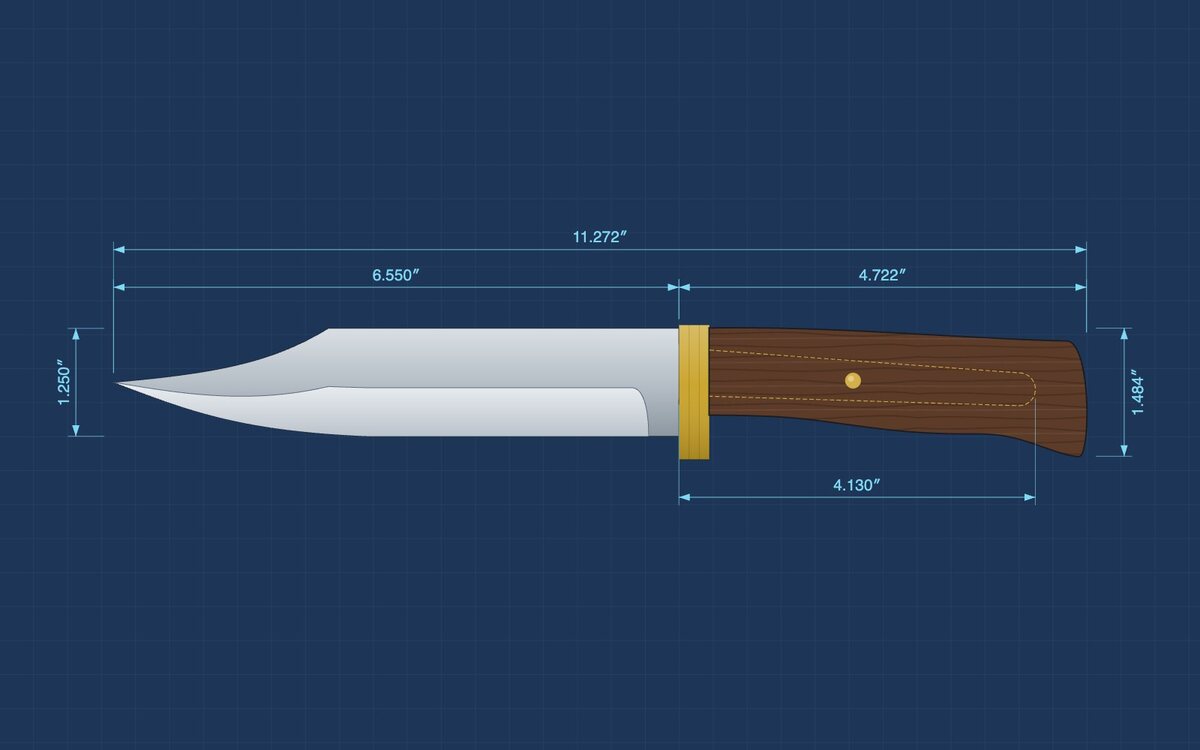
A camp bowie designed in Knife Designer, with its overall, blade, handle and tang dimensionsFIG. 2

Knife Designer

by LZRsuite

Start from one of 12 knife shapes, from paring knife to camp bowie, then drag the blade, tang and handle into your own design. Every part comes out as a matched cut file.

  • DXF with true arcs and circles
  • For fiber (Thunder AccuMetal), CO₂ or CNC
  • Real steels, scales and liners
  • 1:1 print template to check the fit
Open Knife Designer
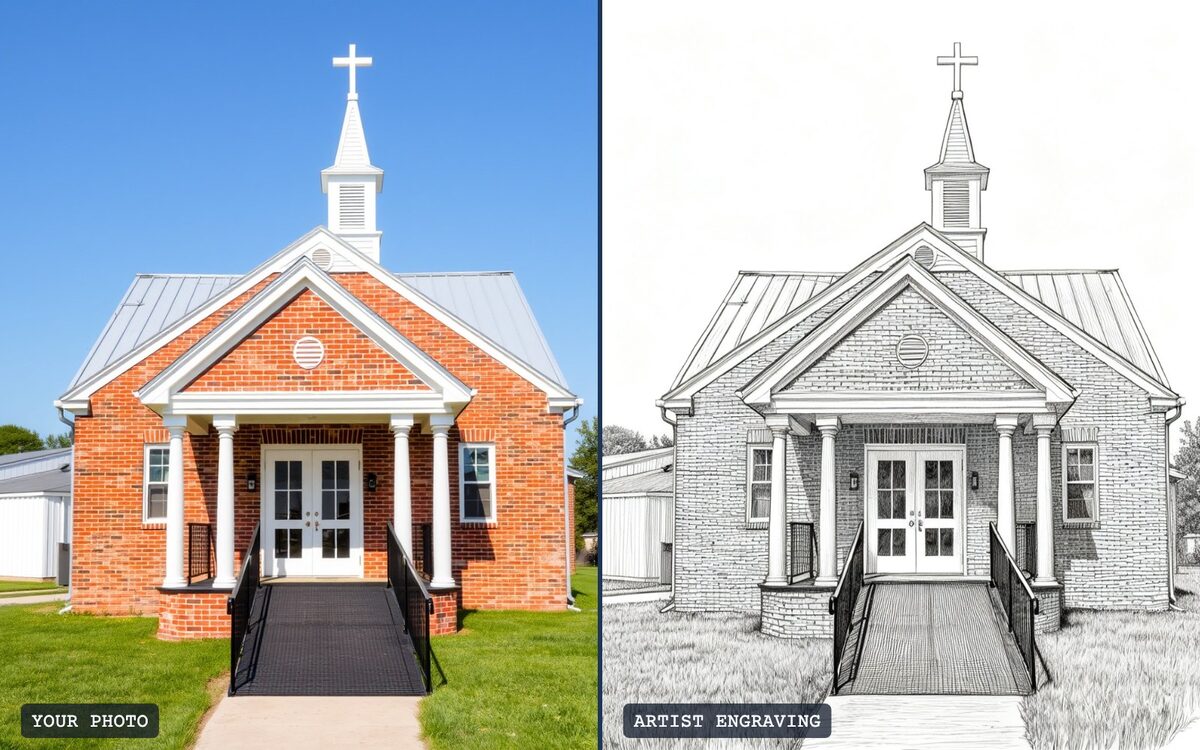
A photo of a brick church beside the line engraving Photo Lab made from itFIG. 3

Photo Lab

by LZRsuite

Turn a photo into engraved line art with crosshatched shading, the look of a hand-cut steel engraving. Made for portraits, buildings and machines.

  • Your first engraving is free
  • Artist engraving from any photo
  • Line and crosshatch shading, no dots
  • Raster or line-mode laser files, with engrave times
  • Try another version in one click
Open Photo Lab
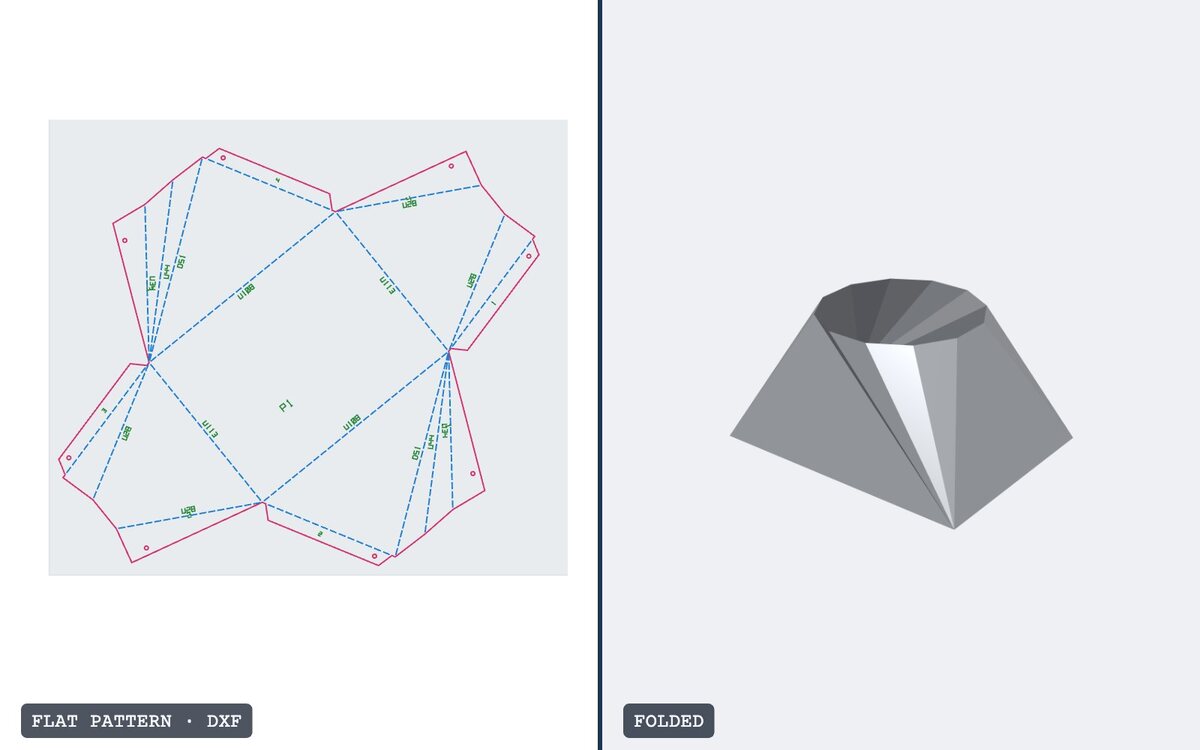
A flat cut pattern for a square-to-round transition beside the folded 3D part, made in FoldFormFIG. 4

FoldForm

by LZRsuite

Unfold a 3D shape into a flat pattern you cut on the laser and bend into a part: boxes, hoppers, cones, square-to-round transitions, lamps, and stand-up sculptures from a silhouette.

  • DXF with cut, bend and etch layers
  • Bend by hand with stitch cuts, or on a press brake
  • Numbered seams and bend directions
  • Fix DXF: bridges for loose pieces in signs and keychains
Open FoldForm

One account, every tool

Sign in once. Credits for AI drawings work in every tool that uses them.

Free to start

Your first Blueprint Designer preview and your first Photo Lab engraving are free. Buy credits only when you want more.

Files your laser can run

Vector SVG, DXF cut files and print-ready PNG, ready for your machine.

Sign in or sign up

New here? The link creates your account, with a free poster preview and a free engraving to start.

Credits

1 credit = one AI drawing. The premium detail pass is 1 more. Restyling and personalizing are always free.

Gift pack
$12
  • 3 credits
  • Never expire
Maker
$19/month
  • 8 credits every month
  • Unused credits roll over
Pro
$49/month
  • 25 credits every month
  • For shops and sellers